 Get the Chrome extension
up to 40
Demand
From "bought in past month" where Amazon shows it. 50+ is medium, 200+ is high, 1K+ is very high. If it isn't shown, demand is marked unknown.
Chrome extensionWorks on amazon.co.ukNo Amazon login
PenceSavvy adds a score badge to products on the amazon.co.uk pages you open, then shows demand ("bought in past month" where shown), competition, a sensible selling price and your profit after referral fees. So you can decide in seconds what to sell.
Not affiliated with, endorsed or sponsored by Amazon.
£4.99/month covers Amazon UK and Temu UK after a 3-day free trial · cancel any time · billed by Payhip
How it works
PenceSavvy only reads the page in your own tab. It doesn't log in, click, or crawl anything in the background, and it never runs on sign-in, basket, checkout, account or order pages.
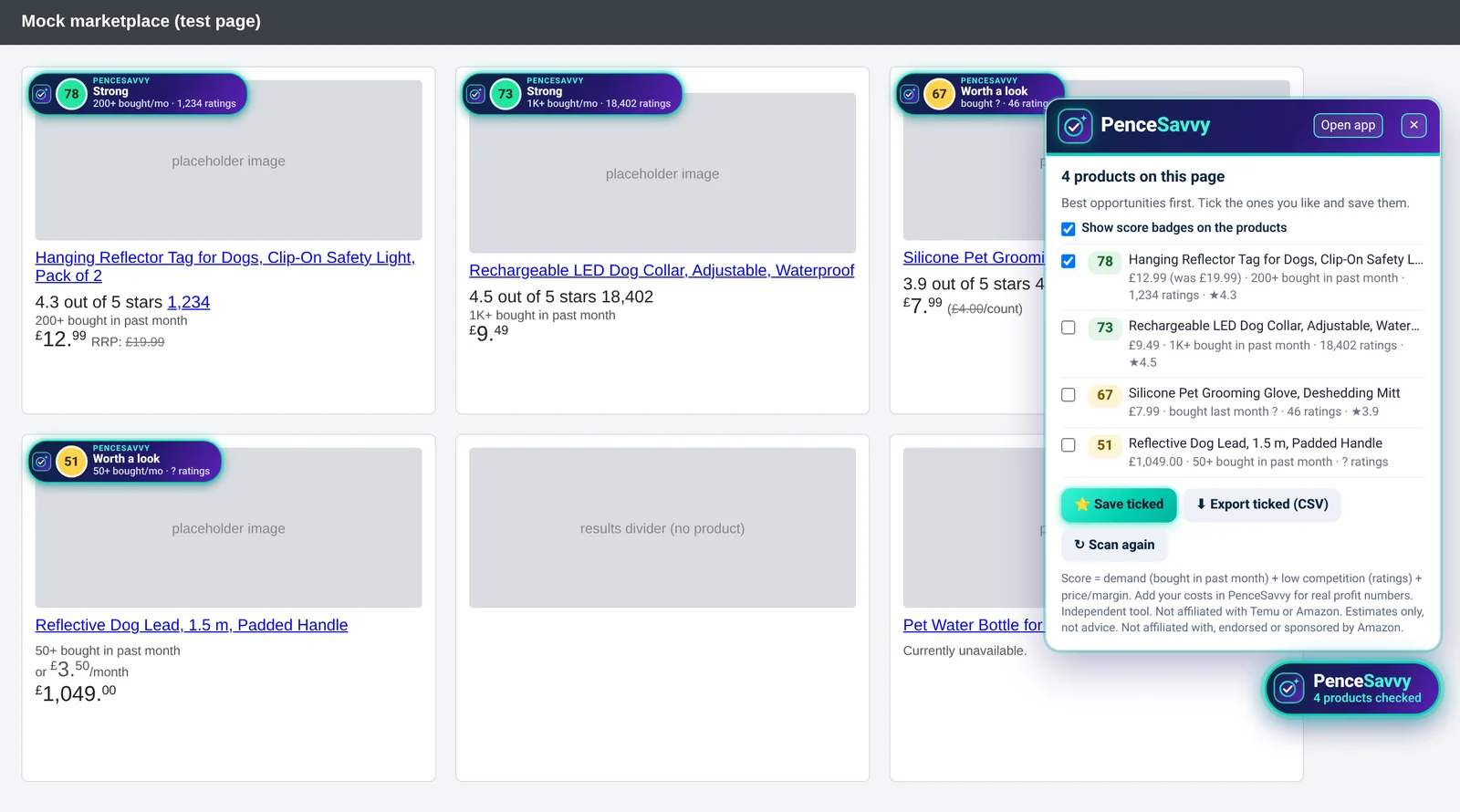
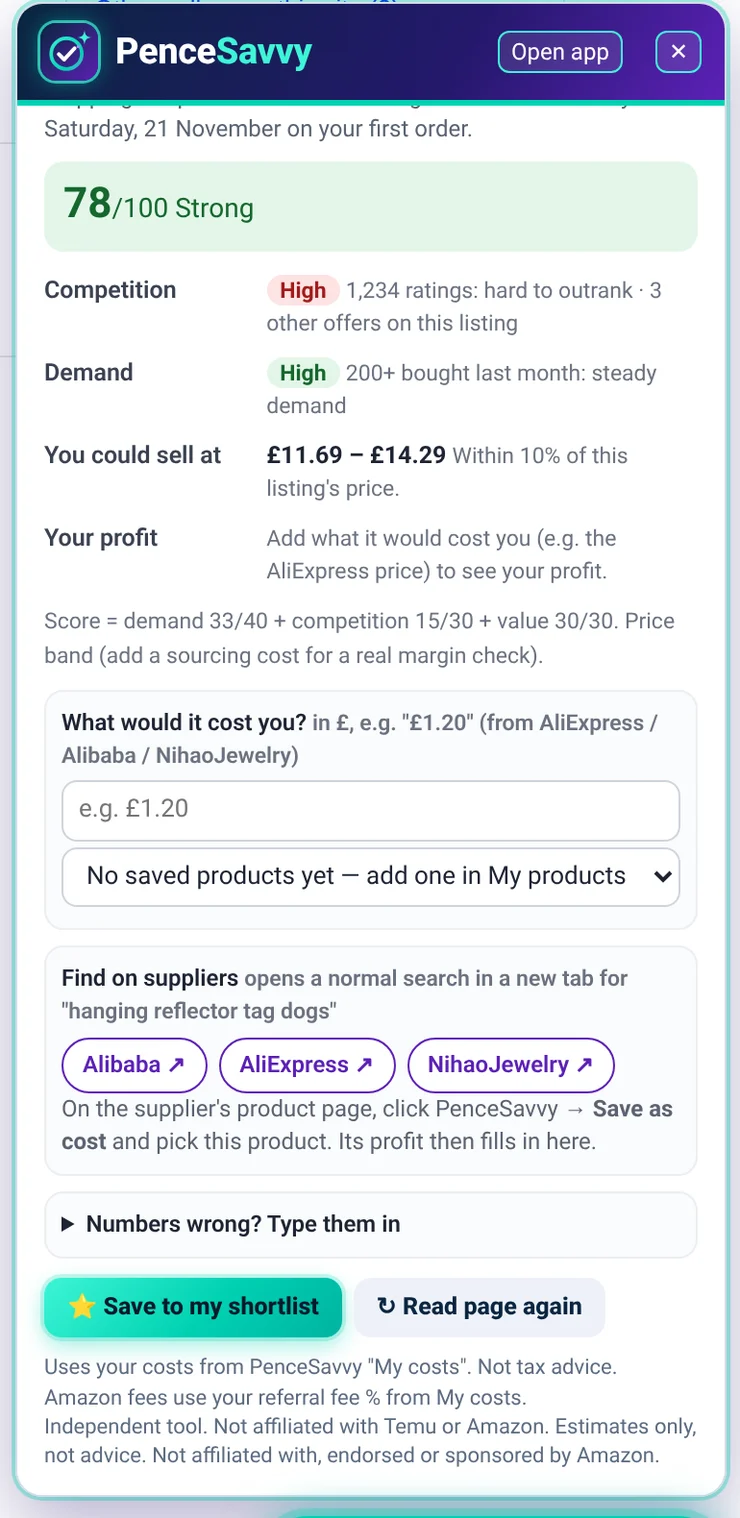
Each product on the results page gets a PenceSavvy badge: a score out of 100, a one-word verdict, "bought in past month" where Amazon shows it, and the ratings count. Open the list to see them sorted best first.
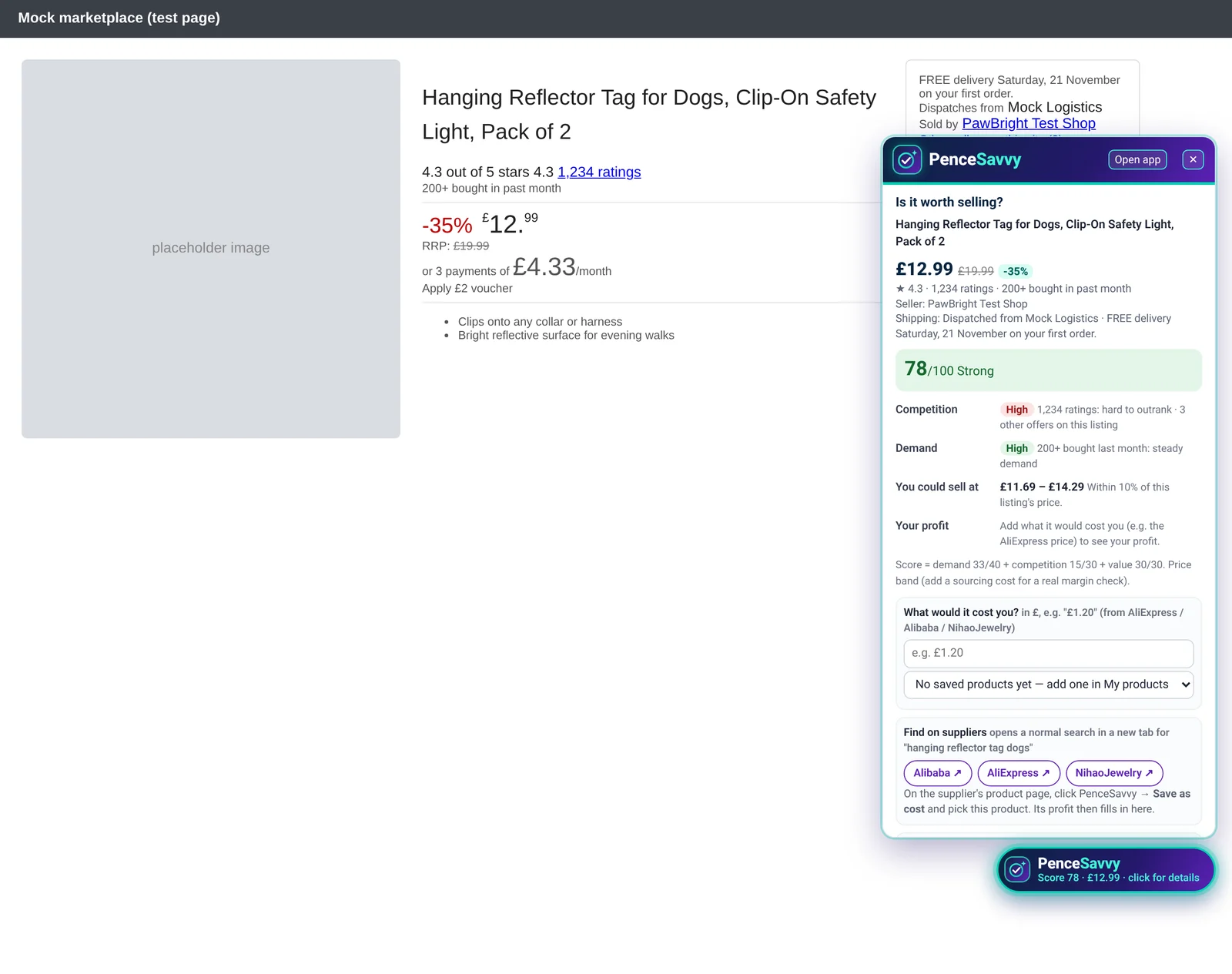
The panel reads the price you see (skipping unit prices, monthly instalments, vouchers and RRP), the rating, ratings count, "bought in past month", the seller and how many other offers there are. You get competition, demand and a price range you could sell at.
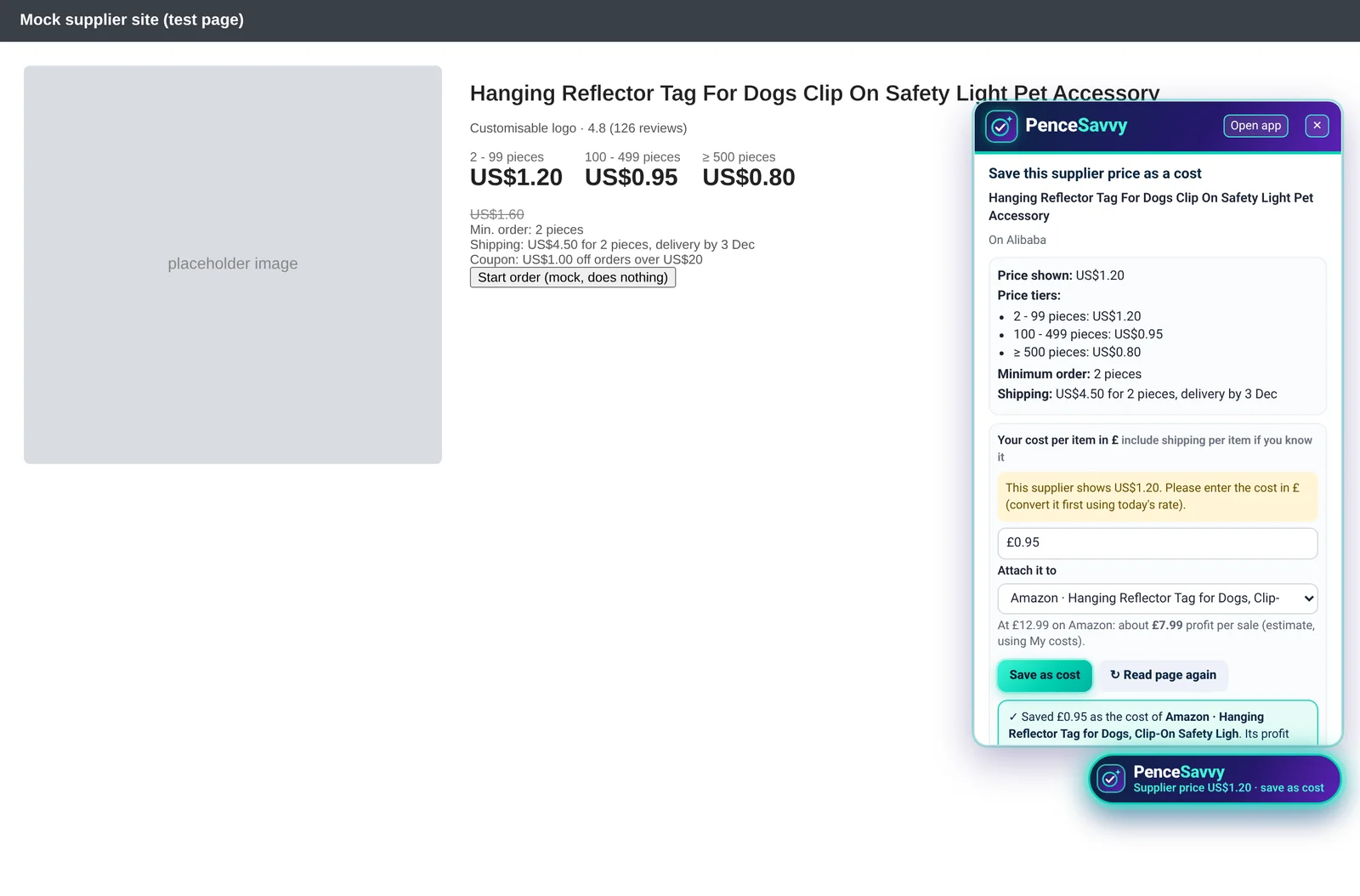
Use Find on suppliers to open an Alibaba, AliExpress or NihaoJewelry search in a new tab. On the supplier's product page, PenceSavvy shows the price tiers, minimum order and shipping. Type the cost in £, pick your saved product and click Save as cost.
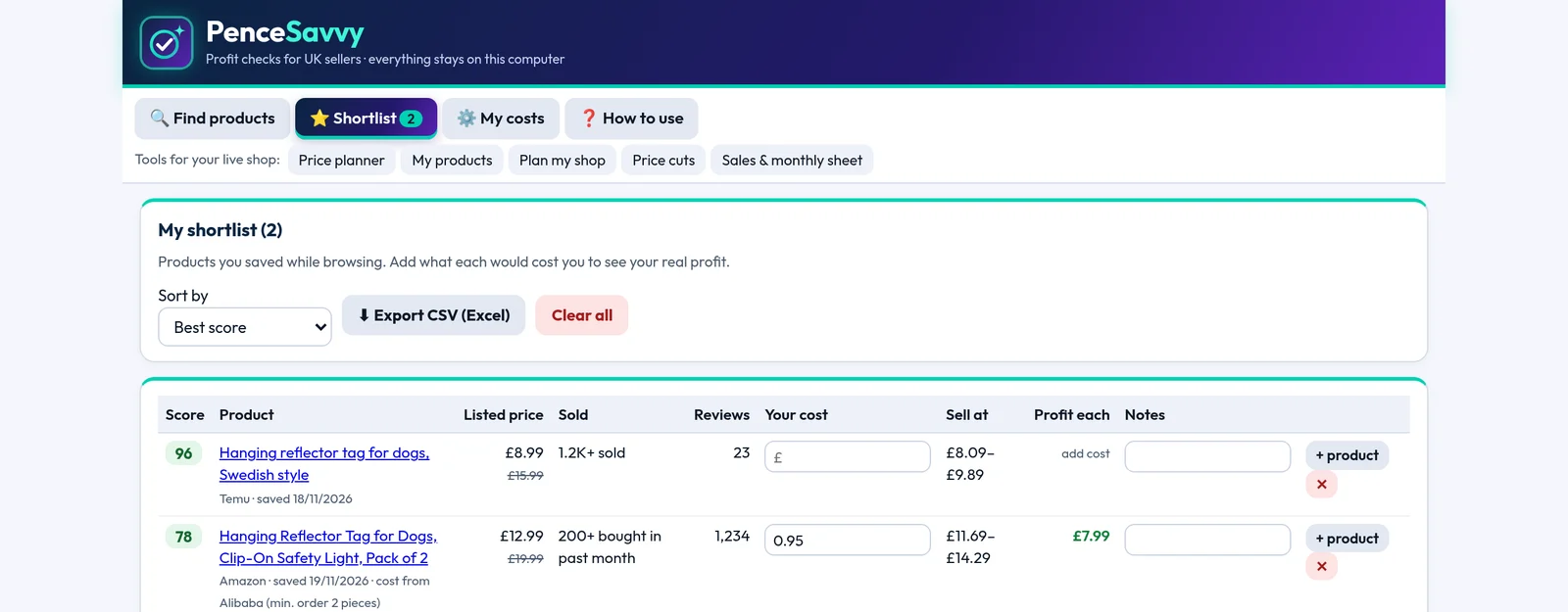
Your shortlist marks each product as Temu or Amazon, keeps the score, price, your supplier cost and notes, and exports to a CSV file for Excel or Google Sheets.
All screenshots are of the real PenceSavvy extension running on demo pages we made with grey placeholder products. They are not real Amazon or supplier listings, photos or prices.
What the score means on Amazon
From "bought in past month" where Amazon shows it. 50+ is medium, 200+ is high, 1K+ is very high. If it isn't shown, demand is marked unknown.
From the ratings count. Under 100 leaves room for a new seller; 1,000+ is hard to outrank. Other offers on the listing are shown too.
Your margin after your Amazon referral fee (15% by default, change it for your category) if you've added a cost, otherwise the price band.
The score is a quick guide based on what the page shows and the costs you enter. It isn't a promise of sales or profit. FBA fees aren't included: add them as other costs if you use FBA.
New
Every product check has Find on suppliers buttons for Alibaba, AliExpress and NihaoJewelry. They open a normal supplier search for that product in a new tab, so you see real supplier prices and stock straight away.
Just links and the page you have open: PenceSavvy doesn't search or collect supplier data in the background. Not affiliated with Alibaba, AliExpress or NihaoJewelry.
Platforms
£4.99/month covers amazon.co.uk and temu.com/uk. eBay and Etsy are coming soon.
Score badges, product checks, profit and shortlist on temu.com/uk.
Open the Temu tool → Coming soonSee what's selling, how crowded a search is, and what you'd keep after fees.
Join the waitlist → Coming soonCheck demand and competition for handmade and print-on-demand ideas.
Join the waitlist →Getting started
chrome://extensions, turn on Developer mode, click "Load unpacked" and pick the pencesavvy folder. The included guide shows each click.Monthly subscription
£4.99 / month
3-day free trial
Cancel any time from your Payhip account.
FAQ
No. PenceSavvy is an independent tool. It is not affiliated with, endorsed or sponsored by Amazon. "Amazon" is used only to describe which website it works on.
No. It reads the public page that's open in your tab. It never asks for your Amazon password, and it doesn't run on sign-in, basket, checkout, account or order pages.
From the product or search page itself, when Amazon shows it. PenceSavvy doesn't estimate hidden sales. If it isn't shown, demand is marked unknown and you can type your own figure.
It uses a referral fee % you set in My costs (15% by default, as many categories use; check yours). FBA and other fees aren't included automatically: add them as other costs.
Yes. One £4.99/month subscription covers both platforms, and one shortlist holds products from both.
No. It's a research helper. Scores and profit figures are estimates from what the page shows and the costs you enter. Always check fees, VAT and Amazon's own seller policies. See the disclaimer.

£4.99/month covers Amazon and Temu, 3-day free trial. Cancel any time.